WPS shows add-ins only once a file is open, and asks for permission the first time. After that, Sumlion is a tab on the ribbon in both 表格 and 文字.
Close every WPS window, start WPS again and open a spreadsheet or a document. The tab does not appear on the start page.
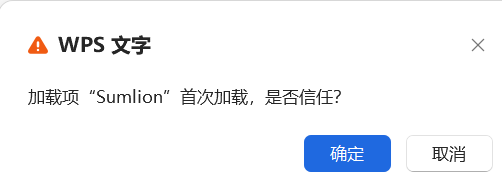
WPS asks “加载项 Sumlion 首次加载,是否信任?” (first load of the Sumlion add-in — trust it?). Click OK. It asks once for 表格 and once for 文字 — WPS's standard question for any third-party add-in.
Sumlion is the last tab on the ribbon. Click it, then the Sumlion button, and the pane opens.


Make sure a file is open, not just the WPS home screen, and that you clicked OK on the trust prompt rather than dismissing it. If it is still missing, run the installer again or use the green install guide.
← All downloads